
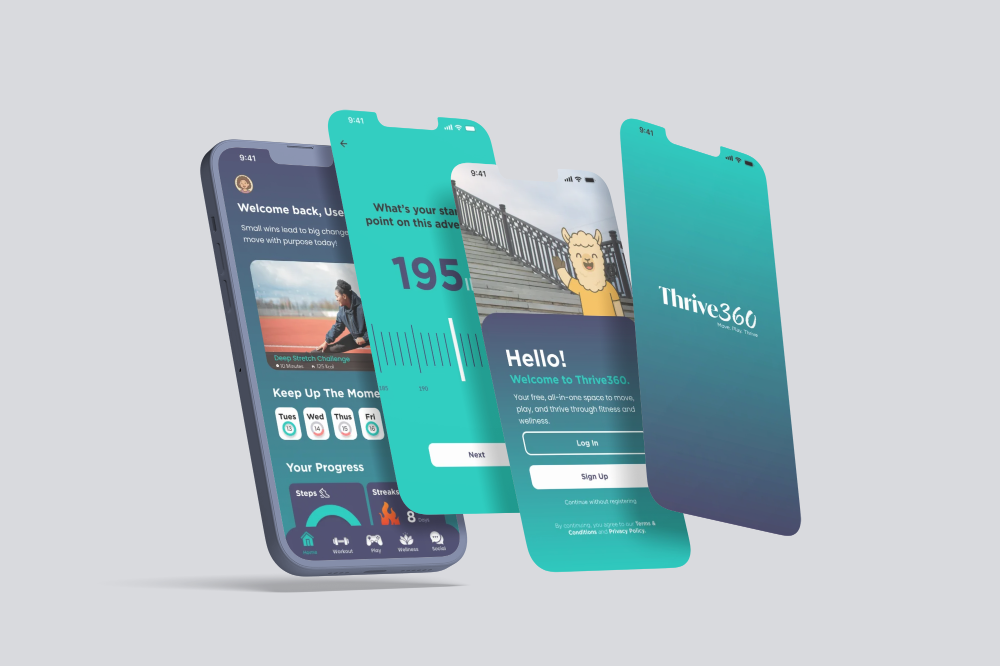
Thrive360 Wellness App
Thrive360 is a wellness app created to help users stay consistent with their health goals in a simple and motivating way. The app combines habit tracking, daily challenges, progress updates, badges, and positive feedback to make wellness feel less overwhelming.
The goal was to design an app that supports users emotionally and practically. Instead of focusing only on strict health tracking, Thrive360 encourages users to build small habits, stay engaged, and feel proud of their progress.
Project Type: Mobile App Design
Role: UX/UI Designer
Client: University of Baltimore Thesis Project
Year: 2026
Tools: Figma, Adobe Illustrator, Photoshop, ChatGPT
The Problem
Many wellness apps can feel too strict, too clinical, or hard to keep up with. Users often start with good intentions but lose motivation when the experience feels repetitive or overwhelming.
Thrive360 was designed to solve that by making wellness feel more personal, encouraging, and rewarding.
My Role
I led the UX and UI design for the app. My work included research, user flow planning, wireframing, visual design, prototyping, branding, and refining the overall user experience.
I focused on making the app easy to use while keeping the design engaging and motivational.
Key Features
-
Personalized onboarding
Users answer a few simple questions so the app can create a more relevant experience.
-
Daily wellness challenges
Short tasks help users build better habits one day at a time.
-
Progress tracking
Users can view their activity, streaks, and completed goals.
-
Badges and rewards
The app uses small rewards to make progress feel more exciting.
-
Motivational feedback
Friendly messages help users stay encouraged without feeling judged.
-
Simple dashboard
The main screen gives users a quick view of their progress, goals, and next steps.
UX Process
The process included:
Researching common wellness app patterns
Defining the user problem
Creating user flows
Sketching early screen ideas
Designing wireframes
Building high-fidelity screens
Creating a clickable prototype
Refining the UI for clarity and consistency